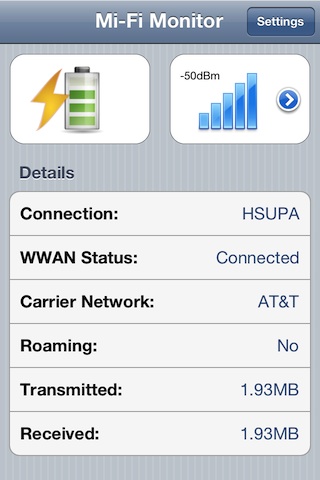
Mi-Fi Monitor for iOS
Mi-Fi Monitor is a perfect companion for the Novatel Mi-Fi 3G Router, allowing you to keep track of your router's battery and signal levels without getting it out of your bag or opening a web browser.
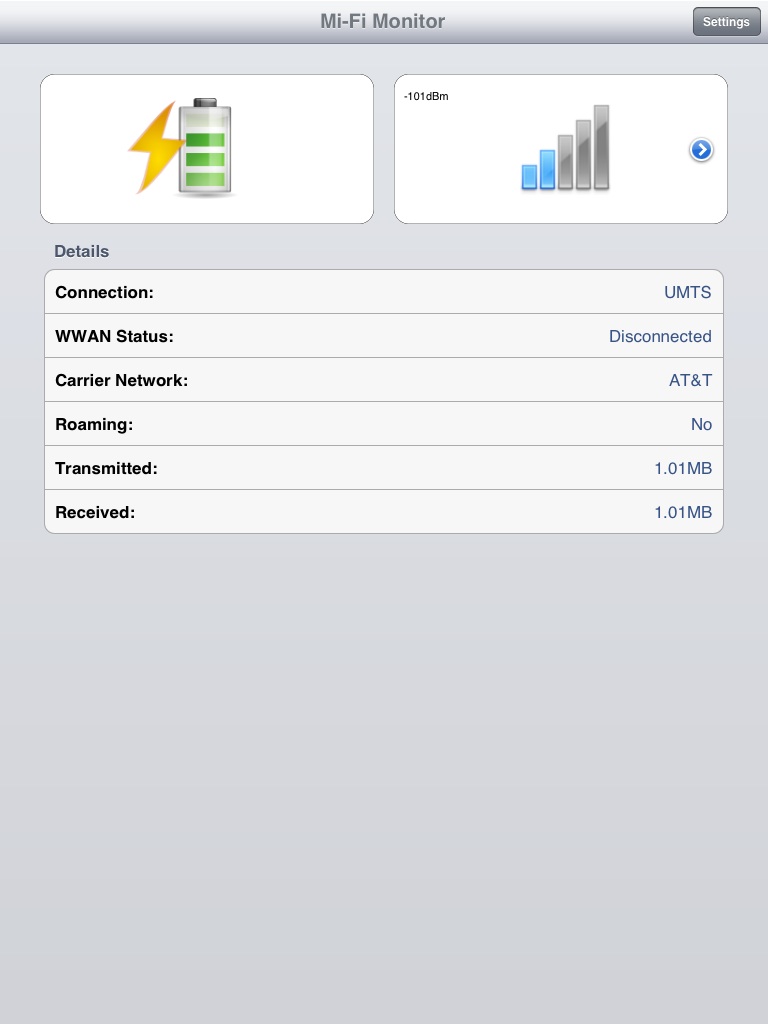
- Battery level meter
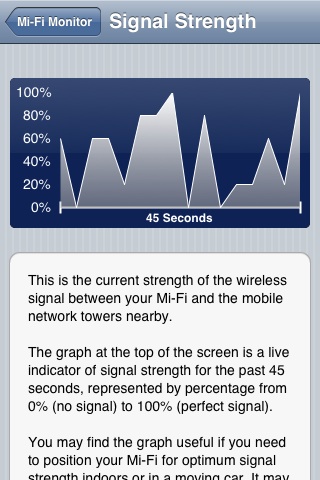
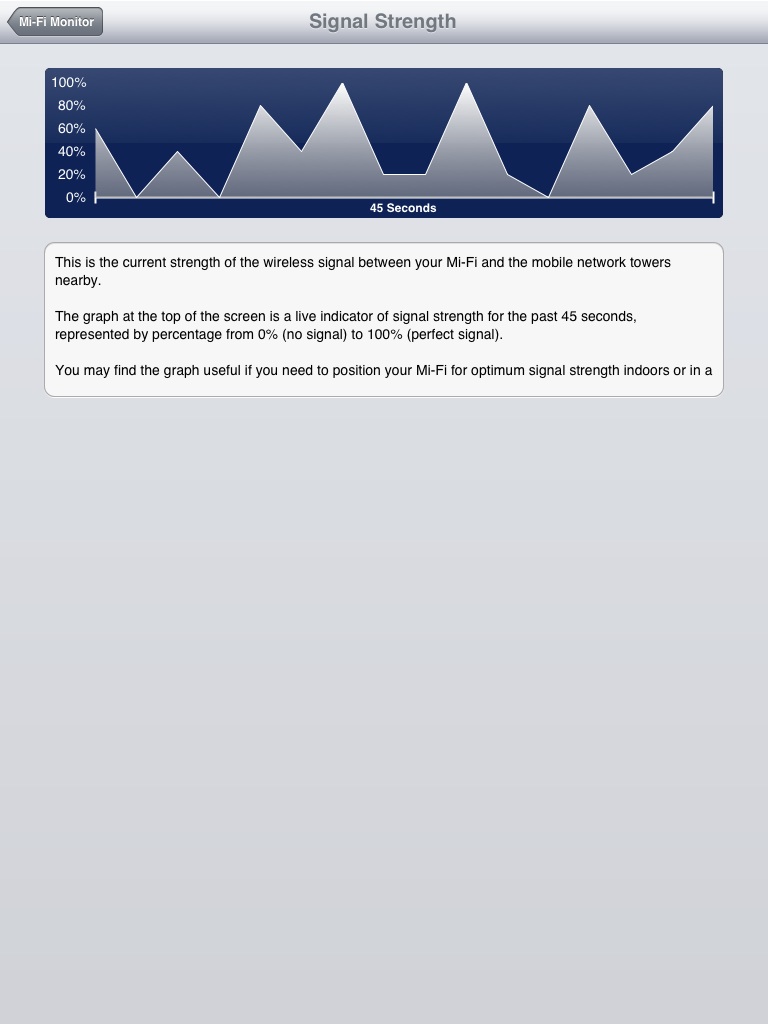
- Signal meter bars and 45 second live graph
- Connection status and type
- Roaming indicator
Requirements: Novatel Mi-Fi, and an iPhone, iPad or iPod Touch device running iOS 4.3+

Supported Devices
Most devices made by Novatel Wireless should work, but some carriers have modified the firmware on their branded Mi-Fi models to disable the OpenCGI API. See the FAQ for more information.
If you don't see your device listed in the table below, it means it simply hasn't been tested yet. You can test it with these easy steps (note: these links will open a new tab):
- Make sure your iPhone, iPad or Mac is connected to the Mi-Fi
- Load the Mi-Fi web interface at the default IP address: 192.168.1.1
- If you don't see the web interface, the IP address of your device may have been changed. Send us a support request and we will be happy to assist you
- Once you've verified that the web interface works, click the link below. It should load a page with a string of words like WwNetwkName, indicating that your Mi-Fi should be supported
- Check for OpenCGI support
| Device | Supported |
|---|---|
| Novatel Mi-Fi 2200 | Yes |
| Novatel Mi-Fi 2352 | Some* |
| Novatel Mi-Fi 2372 | Some* |
| Novatel Mi-Fi 3352 | Some* |
| Novatel Mi-Fi 3372 | Some* |
| Novatel Mi-Fi 4082 | Yes |
| Novatel Mi-Fi 4510 | Yes |
| Novatel Mi-Fi 4620 | Yes |
| Novatel Mi-Fi 6620 | Some* |
| Huawei hotspots | No |
| Samsung hotspots | No |
| Verizon Fivespot | No |
* These are devices where the wireless carrier might have disabled the OpenCGI API, or that might require a firmware update in order to work with Mi-Fi Monitor. Check the firmware section on this page for more information.
FAQ
How does Mi-Fi Monitor interact with my Mi-Fi device?
Mi-Fi Monitor is designed to work with the OpenCGI API supported by most Novatel Mi-Fi models. It is reliable, fast, and works basically the same way on all of them.
Why doesn't Mi-Fi Monitor support some Novatel Mi-Fi models?
Some wireless carriers have completely disabled the OpenCGI API on their customized Mi-Fi firmware, and some models require a firmware update before the API will work.
If you experience problems, check the firmware section on this page for more information or send us a support request and we will be happy to assist you.
Why doesn't Mi-Fi Monitor support hotspots made by other manufacturers?
Support for hotspots from other manufacturers was added to a beta version of Mi-Fi Monitor in the past, however it required retrieving usage information from the hotspots web interface, which proved to be both inefficient (reduced hotspot battery life), and unreliable due to the large number of different devices and different firmware versions for each one.
Why is the data only updated every 3 seconds?
Although the Mi-Fi supports remote monitoring and has its own web interface, it is still a very low power device with limited resources. Novatel advises that 3rd party applications only query the device for information every 3 seconds to avoid overloading it.
Is Mi-Fi Monitor a tethering application?
Mi-Fi Monitor is not a tethering app, it will not allow you to tether other devices to your iPhone for internet access. Your iPhone or cellular-enabled iPad already support tethering, however you may need to check with your wireless carrier to enable it.
iPhone Screenshots
iPad Screenshots
Release notes
- Fixed some alignment & cosmetic bugs on both platforms
- iOS version uses ARC now, also requires iOS 4.3+
- Updated 3rd party libraries (CorePlot to 1.0)
- Graphs are now marked with timeframe
- iOS graphs are back in the little bubble instead of fullscreen
- Mac version has new Menu Bar icons & option to disable signal or battery display.
- Fixed minor memory leak on Mac
- Removed unnecessary Mi-Fi admin password setting, no longer used
- Reduced memory use significantly on both platforms
- NOTE: on OS X this version is 64-bit only, but still works on Snow Leopard
- Snow Leopard compatibility
- Updated Growl
- Added specific models to the settings area
- Small cosmetic fixes on Mac
- First release on Mac App Store
- Fix rare bug in email support form
- Fix incorrect version number in iOS settings
- Fix for some AT&T devices that return non-standard API responses
- Shaded signal graph
- Native iPad interface
- Larger signal graph
- Landscape mode everywhere
- Changes under the hood for increased reliability
- Fixed spelling error on settings page
- Fixed bug where typing in the support mail form required tapping the very first line or the keyboard would not activate
- New: Live signal graph, just tap the little blue button on the main screen.
- Minor bugfixes
- Nicer layout
- Slower refresh time to give the Mi-Fi a rest
- First release on iOS App Store
Firmware
There are a significant number of Mi-Fi devices in the wild that will not work with Mi-Fi Montitor without updating the firmware. The firmware links below are official packages from Novatel, hosted by them. We can't provide support for their firmware, but we will help customers find upgrades when needed.
If your device is not listed in the table below, or it is a "branded" device with the wireless carriers logo (like AT&T or Verizon), you may need to check the general Novatel download area or your wireless carriers website for any available updates. Feel free to send us a support request and we will be happy to assist you.
| Device | Version | Firmware |
|---|---|---|
| Generic Mi-Fi 23x2 | 5.26.2 | link |
| AT&T Mi-Fi 2372 | 7.11.02 | link |
| Bell Mi-Fi 2372 | 5.28 | link |
These firmware upgrades usually require a Windows PC (some also support Macs), and a Micro USB cable to connect the Mi-Fi to your computer.